
If your Rifbar Vape is flashing and not working, the issue is usually related to a low battery, a charging problem, a connection issue, blocked Airflow, or a built-in protection feature. Checking these areas first can help you identify the cause and get your device working again.
A flashing light does not always mean your Rifbar Vape has stopped working permanently. In many cases, the indicator is simply showing that the device needs attention. Below, we will explain the common reasons your device may be flashing and the steps you can take to troubleshoot the issue.
Your Rifbar Vape may flash because the battery needs charging, the charging connection is not working properly, the pod connection is interrupted, the Airflow is blocked, or the device has activated a safety protection feature. Start by charging the device, checking the connections, and making sure the Airflow openings are clear.
Table of contents
Why Is My Rifbar Vape Flashing?
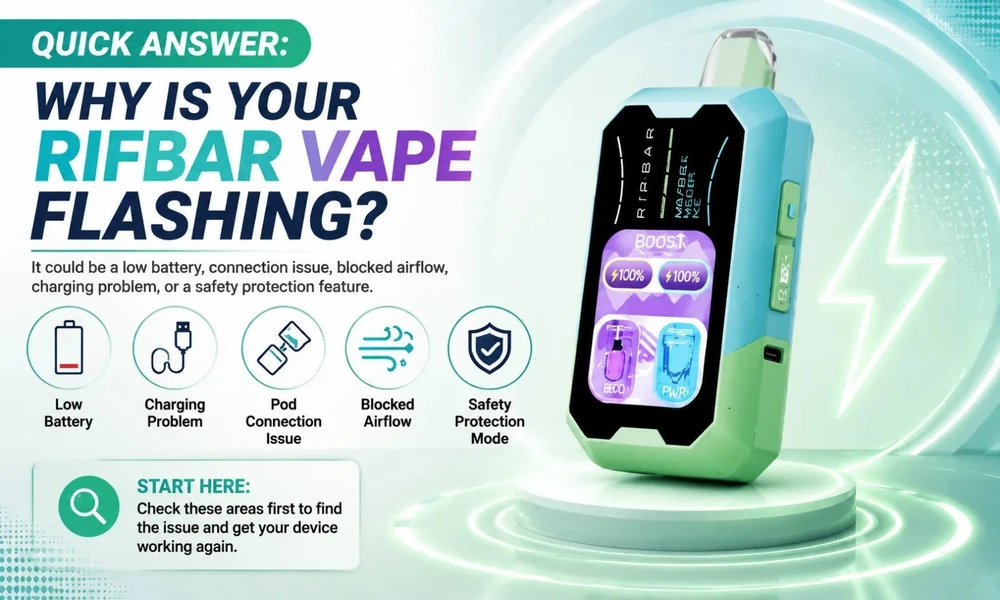
A flashing light on a Rifbar Vape is a signal from the device system that something needs to be checked. The indicator helps you understand whether the issue is related to power, charging, connection, or device operation.
The exact reason can depend on your situation. For example, a device that flashes while charging may have a different issue than one that flashes when you try to use it.
If you notice flashing Rifbar Vape, begin with the simplest troubleshooting steps first. Checking the battery level and connection points can often help you find the problem quickly.
Common Reasons Your Rifbar Vape Is Flashing and Not Working
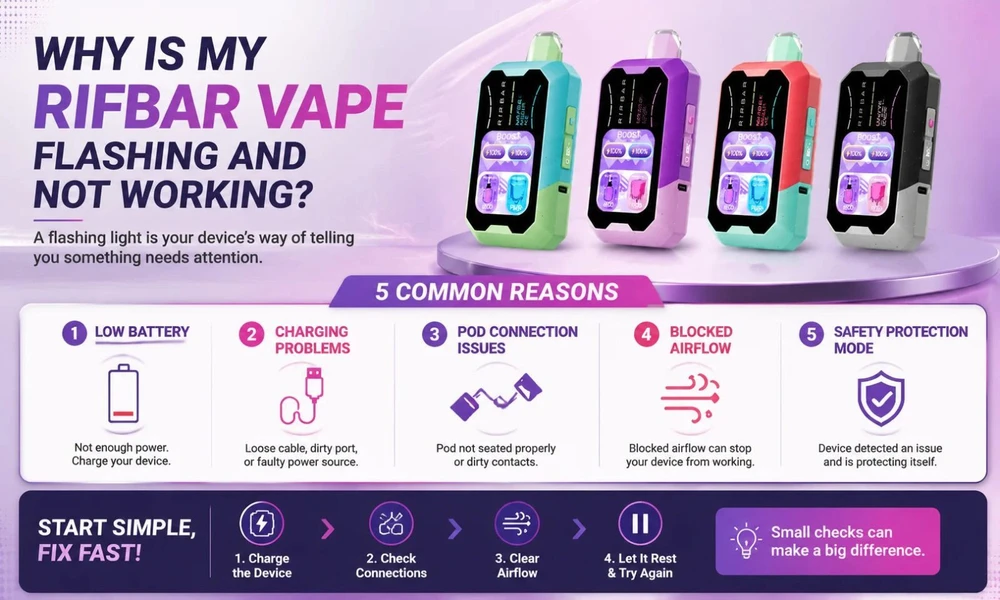
1. Low Battery Level
A low battery is one of the most common reasons your Rifbar Vape may flash and stop working properly. Rechargeable Rifbar devices use indicator lights to notify you when the battery needs to be charged.
When the battery level is too low, the device may flash when you try to use it or may not activate as expected.
What you can do:
Connect your device with a compatible USB-C charging cable.
Make sure the charging cable is securely connected.
Allow the device enough time to charge.
Check that your charging cable and power source are working correctly.
If your device works normally after charging, the flashing was likely caused by a low battery.
2. Charging Connection Problems
Sometimes the battery is not the issue. A problem with the charging connection can prevent your Rifbar Mixpro Vape from receiving power correctly.
Common causes include:
A loose charging cable.
Dust or debris inside the charging port.
A damaged charging cable.
An unreliable power source.
Try these steps:
Remove and reconnect the charging cable.
Inspect the charging port for visible debris.
Try another compatible charging cable.
Use a different power source if needed.
A secure charging connection helps ensure the device receives power properly.
3. Pod Connection Issues
If you are using a Rifbar device with a replaceable pod, the pod connection may be causing the flashing issue.
The device needs proper contact between the pod and battery connection points to work correctly. If the pod is not seated properly, the device may not recognize it.
Check the pod connection:
Remove the pod from the device.
Inspect the connection points.
Clean away any visible residue.
Reinsert the pod firmly.
A proper connection allows the device to detect the pod and operate normally.
4. Blocked Airflow
Airflow issues can also prevent your Rifbar Vape from working correctly. Your device needs proper Airflow through the designated openings for smooth operation.
If Airflow openings become blocked, you may notice flashing lights, reduced performance, or difficulty activating the device.
To improve Airflow:
Check that Airflow openings are not covered.
Remove dust or residue around the Airflow area.
Avoid holding the device in a way that blocks Airflow openings.
Keeping your device clean can help prevent Airflow-related issues.
5. Safety Protection Mode
Modern vape devices include built-in protection features that help prevent certain operating issues. If the device detects an unusual condition, it may temporarily stop working and display a flashing light.
Possible causes include:
Connection problems.
Extended activation.
Internal device detection.
What you can try:
Stop using the device for a short period.
Check the pod and connection points.
Try activating the device again after checking the basics.
If the flashing continues after troubleshooting, the device may need to be replaced.
How to Fix a Rifbar Vape That Is Flashing
Follow these troubleshooting steps to identify the problem:
1. Check the Battery
Make sure your device has enough power. If your Rifbar Vape is rechargeable, connect it properly and allow it to charge before testing again.
2. Inspect the Charging Port
Check the charging port for dust or anything that may prevent proper contact with the cable.
3. Check the Pod Connection
Remove and reinstall the pod if your device uses a pod system. Make sure the connection points are clean and properly aligned.
4. Check Airflow Openings
Make sure nothing is blocking the Airflow areas. Blocked Airflow can affect device activation.
5. Try Again After Troubleshooting
After checking each area, wait briefly and test the device again. This helps determine whether the issue was related to power, connection, or Airflow.
What Does a Flashing Light on a Rifbar Vape Mean?
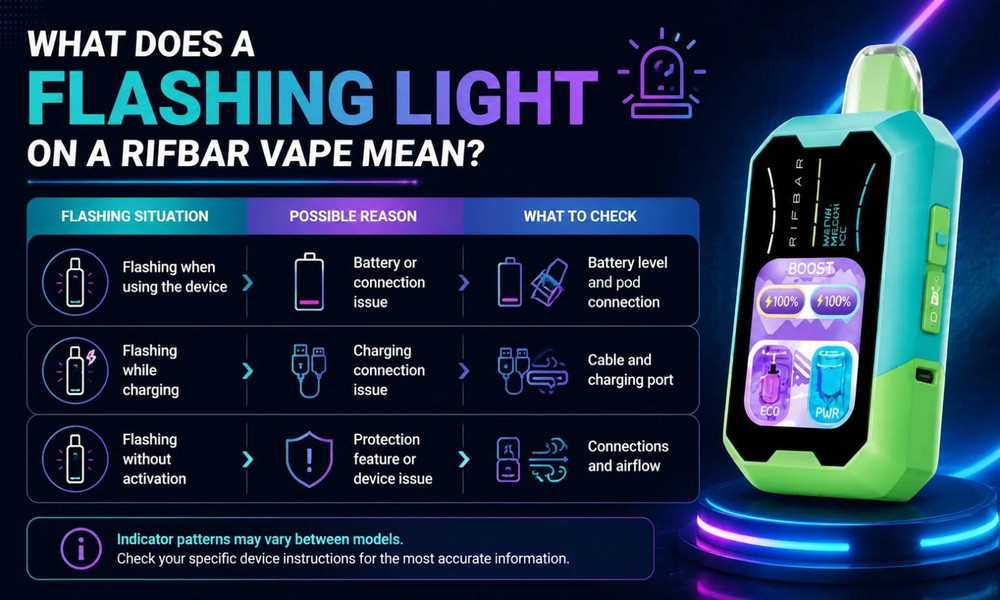
A flashing light can indicate different situations depending on when it happens.
Flashing Situation |
Possible Reason |
What To Check |
Flashing when using the device |
Battery or connection issue |
Battery level and pod connection |
Flashing while charging |
Charging connection issue |
Cable and charging port |
Flashing without activation |
Protection feature or device issue |
Connections and Airflow |
Indicator patterns may vary between models, so checking your specific device instructions can provide the most accurate information.
Quick Fix Checklist for a Flashing Rifbar Vape
Before replacing your device, try these steps:
Charge the device fully.
Check the charging cable and port.
Inspect the pod connection.
Clean visible residue.
Make sure Airflow openings are clear.
Try using the device again.
These simple checks can help identify many common issues.
When Should You Replace Your Rifbar Vape?
If your device continues flashing after checking the battery, charging connection, pod placement, and Airflow, it may be time to replace it.
Consider replacing your device if:
It does not respond after charging.
The charging connection does not work.
The device has visible damage.
The flashing continues after troubleshooting.
Proper care and storage can help reduce common device issues over time.
How To Prevent Future Rifbar Vape Issues
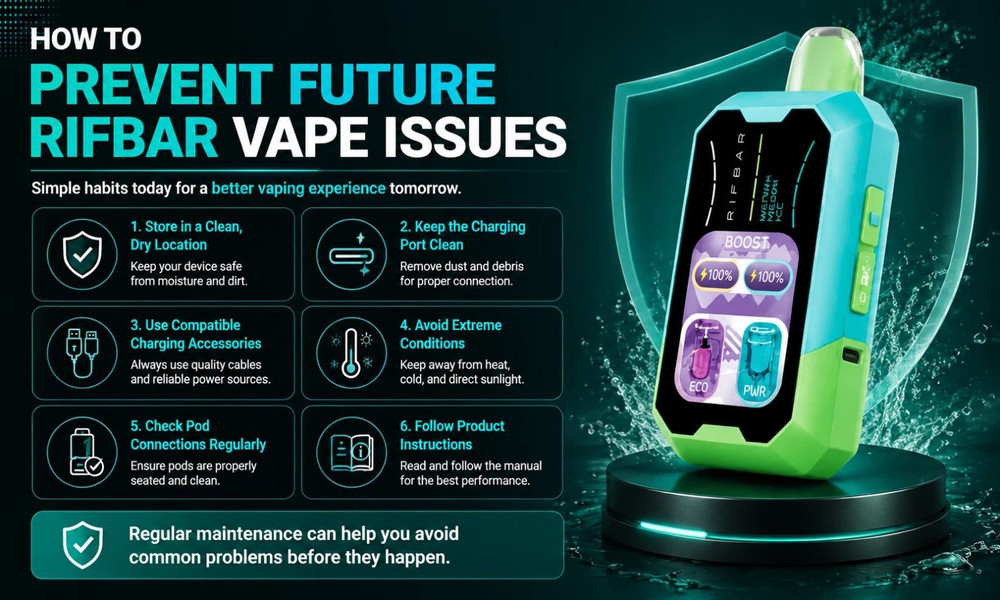
A few simple habits can help keep your device working properly:
Store your device in a clean, dry location.
Keep the charging port free from debris.
Use compatible charging accessories.
Avoid exposing the device to extreme conditions.
Check pod connections regularly.
Follow the product instructions provided with your device.
Regular maintenance can help you avoid common problems before they happen.
Frequently Asked Questions
Why is my Rifbar Vape flashing and not hitting?
Your Rifbar Vape may flash and not hit because of a low battery, connection issue, blocked Airflow, or a safety protection feature. Charge the device, check the pod connection, and make sure Airflow openings are clear before trying again.
How do I fix a flashing Rifbar Vape?
To fix a flashing Rifbar Vape, check the battery level, charge the device, inspect the charging port, reconnect the pod, and clear any Airflow blockage. If the device continues flashing after these steps, it may need replacement.
Why does my Rifbar Vape blink while charging?
Your Rifbar Vape may blink while charging to indicate charging activity. If it continues flashing without charging properly, check the cable, charging port, and power source.
Why is my Rifbar Vape flashing but still has liquid?
A Rifbar Vape can flash even when liquid remains because the issue may be related to battery power, connection, Airflow, or a device protection feature rather than the liquid level.
Final Thoughts
A flashing Rifbar Vape usually means the device needs to be checked rather than immediately replaced. Battery level, charging connection, pod placement, and Airflow are the most common areas to inspect.
If you are dealing with this problem, start with the troubleshooting steps above and check each possible cause one at a time. This approach can help you understand what is preventing your device from working properly and what steps you can take next. If you want to go for a new vape, explore Rifbarvape.com for authentic products and various flavors.