

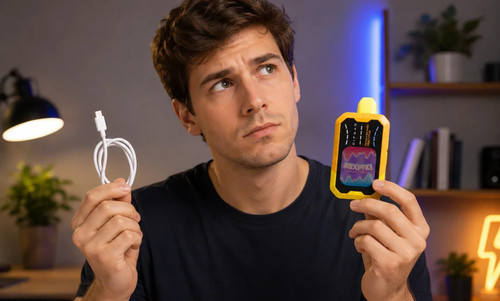
If you've just picked up a Rifbar Mixpro 40K and are wondering about the charging process, we're here to guide you on how to charge a Rifbar vape the right way so you can keep it performing at its best from day one. This guide walks you through the entire process. The Rifbar Mixpro 40K is a rechargeable disposable built for the long haul, with up to 40,000 puffs and an 18ml e-liquid capacity, so keeping the 900mAh battery topped up matters. Below, you'll find exactly what you need, how to do it safely, and how to read the device's full-color display along the way.
Table of contents
Can You Recharge the Rifbar Mixpro 40K?
Yes. Unlike older single-use disposables that get tossed the moment the battery dies, the Rifbar Mixpro 40K is a rechargeable disposable with a built-in USB Type-C port. That design means the battery is meant to be recharged repeatedly so you can use the device until the e-liquid actually runs out, rather than throwing it away with juice still inside.
You can confirm it's rechargeable in two quick ways: look for the USB-C port on the device, and check the packaging, which lists it as a rechargeable disposable. With the Mixpro 40K, there's no guesswork. The USB-C port and full-color display make it obvious.
What You Need Before You Start
Charging is straightforward, but having the right gear makes it faster and safer:
A USB Type-C charging cable (the standard cable most phones and tablets use)
A low-output power source, ideally a 5V wall adapter, power bank, or a computer USB port
A clean, dry, flat surface away from heat and direct sunlight
A standard 5V source is the sweet spot. It charges efficiently without pushing too much power into the battery.
How to Charge a Rifbar MixPro 40K Vape: Step-by-Step
Here is how to charge a Rifbar Mixpro 40K from empty to full:
Step 1: Find the USB-C port. Locate the Type-C charging port on the device. Give it a quick look to make sure it's free of lint or debris.
Step 2: Connect the cable. Plug the USB-C end firmly into the device. A secure connection prevents the charge from cutting in and out.
Step 3: Plug into power. Connect the other end to a 5V wall adapter, power bank, or computer USB port. Avoid high-output fast chargers, since a moderate, steady charge is gentler on the battery.
Step 4: Watch the display. The Mixpro 40 K's full-color screen shows the battery filling in real time, so you can see progress at a glance instead of guessing.
Step 5: Unplug when full. Once the display shows a full battery, disconnect the cable. Take a short draw to confirm everything is working as expected.
How Long Does It Take to Charge?
Most rechargeable disposables in this class take roughly 30 minutes to 2 hours to reach a full charge, depending on how depleted the battery is. With the Mixpro 40 K's 900mAh battery and a standard 5V source, a full charge from empty generally lands within that window. The big advantage here is the display: instead of wondering how long to leave it plugged in, you simply watch the battery indicator climb and unplug when it's full
Reading the Display and Settings
One feature that sets the Mixpro 40K apart is its full-color screen, which does more than show charge status. It tracks:
Battery level, so you know exactly when to recharge
E-liquid level, so you can gauge how much juice is left
Customizable settings, including the adjustable airflow and Sweetness Boost feature
Because the screen reports both battery and e-liquid status, you get a clear picture of where the device stands at any moment, which takes the guesswork out of charging and everyday use.
Charging Tips to Get the Most From Your Device
If your Rifbar Vape isn't charging, work through these common fixes before assuming the device is finished:
Swap the cable or adapter. A worn USB-C cable or weak adapter is the most frequent culprit. Try a different known-good cable.
Clean the port. Dust or lint in the USB-C port can block the connection. Gently clear it with a dry cotton swab.
Give it a minute. A fully drained battery sometimes needs a few minutes plugged in before the display lights up and charging registers.
Check the power source. Test a different wall outlet or USB port to rule out the source.
If the display still won't respond after trying these steps, the device may have reached the end of its usable life, and it's time to replace it.
Charging Safety Basics
The Mixpro 40K includes built-in short circuit protection and a child lock mode, but smart charging habits still matter:
Don't use visibly damaged cables or chargers.
Keep the device away from water while charging.
Store and charge it out of reach of children and pets.
Don't attempt to open or tamper with the battery.
Dispose of the device responsibly once it's spent.
Frequently Asked Questions
How long should I charge my Rifbar Mixpro 40K?
Charge it until the full-color display shows a full battery, then unplug. From empty, that's typically within 30 minutes to 2 hours on a standard 5V source.
Can I charge a Rifbar vape without the original charger?
Yes. Any standard USB Type-C cable paired with a 5V wall adapter, power bank, or computer USB port will work. The cable type matters more than the brand.
Can I use the device while it's charging?
It's best to wait until charging is complete. Let it finish, unplug it, then use it so you avoid unnecessary heat and protect battery life.
How do I know when it's fully charged?
The full-color display shows the battery level filling as it charges. When it reads full, you're ready to go.
Final Thoughts
Charging the Rifbar Mixpro 40K is quick and low-effort once you know the routine: connect a USB-C cable to a 5V source, watch the full-color display, and unplug when the battery reads full. With its on-screen battery and e-liquid tracking, short circuit protection, and child lock, the Mixpro 40K is built to make everyday use simple. Stick to a quality cable, a moderate power source, and basic safety habits, and your device will stay ready whenever you reach for it.
If you want to explore new Rifbar vape flavors, browse our full range of options at RifbarVape.com.