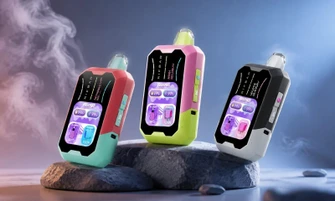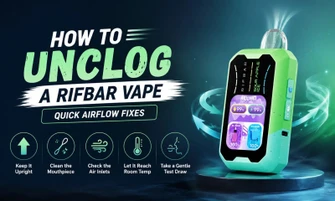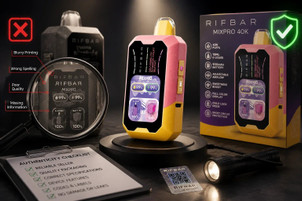

If you've ever grabbed your Rifbar vape for a session and found yourself with no vapor, a blinking display, or a device that just won't respond, we know how frustrating that can be. We're here to help you quickly fix these issues, no guessing involved. Now, we'll walk you through the most common problems the Rifbar 40K might face, what causes them, and how to fix the Rifbar vape and get it back to working smoothly.
Rifbar Vape 40K: Quick Overview
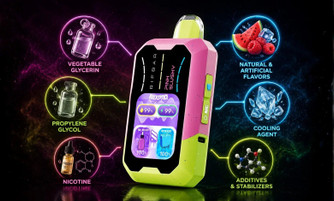
Before jumping into fixes, it helps to understand what's inside your device. The Rifbar 40K is a rechargeable disposable vape built with a 900mAh battery that charges via USB-C, an 18ml e-liquid tank, and a triple mesh coil for consistent vapor production. It features a full-color display that tracks your battery level, e-liquid level, and active settings in real time. You also get an adjustable airflow ring, a Sweetness Boost function, child lock mode, and short circuit protection features that are genuinely useful but can sometimes be the source of confusion when the device stops working as expected.
Rifbar Vape Not Working? Here's a Step-by-Step Guide to Fix It
Work through each fix in order. Most Rifbar vape problems are resolved within the first three steps.
Fix 1: Charge the Battery
Connect your Rifbar vape to a power source using the USB-C cable. The display will illuminate and show charging progress. Allow it to charge fully rather than pulling it off early. If the device shows no response when you plug it in, try a different cable or port. USB-C cables with damage or poor contact are a frequent culprit. A fully charged 900mAh battery should restore normal operation immediately.
Fix 2: Adjust the Airflow Ring
The Rifbar vape has an adjustable airflow ring at the base of the device. If the airflow is set too tight, the draw sensor may not trigger at all, which feels identical to a dead battery. Rotate the ring counterclockwise to open the airflow. Start with a mid-open position and test. A restricted draw also leads to condensation buildup over time, so keeping airflow properly adjusted is a good ongoing practice.
Fix 3: Check the E-Liquid Level on the Display
Your color display shows the e-liquid level directly. If the tank indicator is at or near zero, the coil is not getting enough liquid to vaporize, and the device may simply cut out or produce a dry, weak draw. At this point, the Rifbar vape has reached the end of its e-liquid life. Rechargeable disposables are not designed to be refilled, so when the 18ml supply is exhausted, it is time to replace the device.
Fix 4: Disable Child Lock Mode
The Rifbar vape includes a child lock feature that disables the firing function entirely when activated. If the display shows a lock icon, the device will not fire, no matter what you do. To unlock it, refer to your device's included instructions for the specific button combination — typically a rapid multi-press sequence on the control panel. Once unlocked, the display will confirm the change, and the device will fire normally.
Fix 5: Reset After Short Circuit Protection Activates
The Rifbar vape has a built-in short circuit protection system. If the device is dropped hard, exposed to water, or experiences an internal connection issue, the protection circuit trips and stops the device from firing. You'll typically see an error indicator on the display. Try powering the device off and back on if it has a button-based power control. If the error persists, the device may have sustained physical damage and should be replaced rather than used further.
Fix 6: Clear a Blocked Mouthpiece
Carrying your device in a pocket or bag can allow lint, debris, or dried e-liquid residue to collect in the mouthpiece. A partial blockage reduces airflow enough to prevent the device from firing. Use a thin, clean object such as a toothpick or the tip of a paper clip to gently clear the mouthpiece opening. Avoid inserting anything sharp enough to damage the interior.
Fix 7: Address Gurgling, Spitting, or Condensation
If your Rifbar vape gurgles, produces spitting liquid, or delivers a wet draw, condensation has likely collected in the airpath. This is most common after extended sessions or when the device is stored at an angle. Hold the device upright for several minutes and take a few very gentle draws without fully inhaling to clear the liquid. Reducing draw pressure and shortening puff duration will prevent this from recurring.
Fix 8: Puff Limiter Triggered
Like all vapes, the Rifbar vape includes an automatic puff limiter. If you take a puff that exceeds the device's maximum allowed duration, it will cut off, and the indicator light may blink. This is a built-in safety feature, not a malfunction. Simply wait a few seconds and take shorter, steadier draws going forward.
How to Fix the Rifbar Vape When It Blinks
A blinking light or flashing display on your Rifbar vape is the device communicating a specific problem. Here is how to read those signals:
Rapid continuous blinking with no vapor: Battery is critically low. Charge immediately via USB-C.
Blinking during a puff: Puff duration exceeded the limiter. Shorten your draws.
Blinking after a drop or shock: Short circuit protection has activated. Power cycle and inspect the device.
Blinking on its own when not in use: Auto-firing detected. Blow gently through the air intake, tap the device against your palm, and ensure the airflow dial is not stuck. If it continues, move the device to a safe location and allow the battery to discharge.
Tips to Prevent Rifbar Vape Issues
Preventing problems is always better than troubleshooting them. Keep the following habits in mind to get the most out of your Rifbar vape:
Charge before the battery fully drains rather than waiting for the device to stop working mid-session.
Keep the airflow ring clean and set to a comfortable mid-open position.
Monitor the e-liquid level regularly using the color display so a depleted tank does not catch you off guard.
Take controlled, moderate-length draws rather than prolonged inhales to avoid triggering the puff limiter or overheating the coil.
Store the device upright and in a protective case when possible to prevent mouthpiece contamination and accidental impacts.
Use the Sweetness Boost feature sparingly. Running it continuously at the highest setting will reduce e-liquid and battery life more quickly.
When to Replace Your Rifbar vape
Some issues are fixable; others are not. Replace your device when:
The e-liquid display shows empty, and the vapor quality has dropped regardless of battery charge.
The display shows a persistent error after short circuit protection has tripped, and the device will not reset.
The triple mesh coil produces a consistent burnt taste despite sufficient e-liquid remaining.
Physical damage is present, such as a cracked housing, a broken USB-C port, or a non-functioning display.
If your Rifbar vape isn't working, don't worry! By following these simple troubleshooting steps, you can quickly get back to enjoying your vaping experience. Whether it's a low battery, closed airflow, or something else, most issues are easy to fix. For more options and to explore the full range of Rifbar vapes, explore RifbarVape.com and get the perfect vape for you!
Frequently Asked Questions
Why is my Rifbar vape blinking but still charged?
A blink with a full battery usually means the puff limiter has been triggered, the child lock is on, or the short circuit protection has activated. Check the display for a lock symbol or error code, and try a shorter draw.
How do I know when my Rifbar vape is fully charged?
The full-color display shows a battery charging icon while connected to USB-C. When the battery icon fills, and the display stabilizes, charging is complete. Disconnect the cable at that point.
How do I unlock the child lock on my Rifbar vape?
The child lock is toggled via a specific button sequence outlined in the device instructions included in the box. Once unlocked, the lock icon on the display will disappear, and the device will fire normally.
Can I refill the Rifbar vape?
No. The Rifbar vape is a rechargeable disposable vape. The battery is rechargeable via USB-C, but the 18ml e-liquid tank is sealed and not intended for refilling. Once the e-liquid is exhausted, the device should be responsibly recycled and replaced.
Why does my Rifbar vape taste burnt?
A burnt taste means the triple mesh coil's wick is dry, usually because the e-liquid is nearly depleted or you've been taking long, rapid draws without giving the wick time to re-saturate. Check the e-liquid level on the display. If it's low, the device is nearing the end of its life. If it's adequate, slow down your draw frequency and shorten puff duration
Why is my Rifbar Vape not hitting even after charging?
If the battery is full but there's still no vapor, run through the checklist: confirm the child lock is off, verify the airflow ring is open, inspect the mouthpiece for blockages, and look for a short circuit indicator on the display. Rifbar Vape is Not Working after all these steps have been cleared, typically pointing to an end-of-life e-liquid tank or internal hardware damage that requires a replacement unit.
If you have more questions about the Rifbar vape? Please read our blog section or contact us through email at support@rifbarvape.com, or you can call us at 16787493660. Our support team is here to help you.